How should I use this walkthrough?
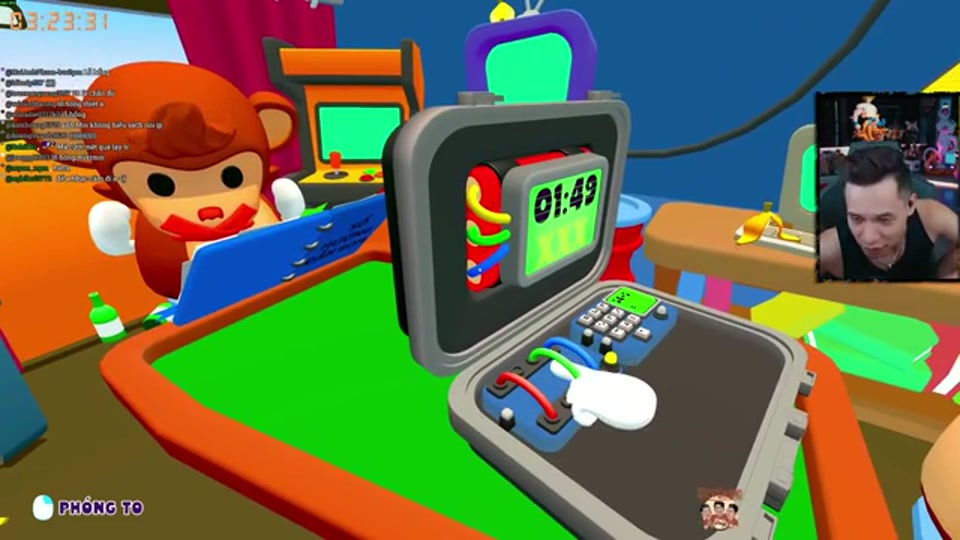
Treat each level as a record rather than a blind answer dump. Write down the module order, ask the team to describe the current state, and only then compare it with the matching module page.
🗺️ Route cue: record the level and module first; use the answer reference only after the current panel is identified.
| Level range | What to record | Link |
|---|---|---|
| 1–10 | First module names and failed inputs | Puzzle index |
| 11–20 | Multi-stage order and recovery notes | Roles guide |
| 21–30 | Mixed modules and team shorthand | Multiplayer guide |
What if the team gets stuck?
Stop and name the exact module. Use wire, direction, or calculator for the common early modules. If the screen does not match your note, record the build date before trying a different interpretation.
How should progression be logged?
The safest walkthrough is a decision log, not a list of unexplained button presses. For every level, keep six fields: level number, module name, visible clue, agreed action, result, and build date. The Steam listing gives the Campaign a scope of 30 handcrafted levels, but it does not prove that every level uses the same module order.
How can the team recover from a failed input?
Stop entering commands and ask the observer to describe the new state from the beginning. The interpreter should identify whether the panel reset, advanced, or changed its indicator. Wire/cable, direction, and switch modules all deserve a fresh read after a failed attempt rather than a guess based on the previous state.
Where do Endless and Custom fit?
Use Campaign for the first progression record, Endless for repetition and pressure practice, and Custom for targeted drills. These three modes are listed on Steam; exact unlock timing or custom rule combinations should be confirmed against the current build.
What should a level note contain?
Use one compact record per attempt so a future run can be compared without replaying the whole video:
| Field | Example of the information to record |
|---|---|
| Level and mode | Campaign level number, Endless run, or Custom drill |
| Module and stage | The panel identity and visible stage indicator |
| Clue sequence | Symbols, colours, numbers, sounds, or connections in order |
| Team callout | The exact wording the observer gave the interpreter |
| Action and result | Control used, success/failure, and any reset |
| Check date | Build date plus the relevant screenshot or video timestamp |
This format keeps a walkthrough useful when the same module appears with a different sequence. It also makes clear which part is a repeatable method and which part is one observed run.
How should a walkthrough video be used?
Use a walkthrough or keyframe to practise what to look at first, how to divide roles, and when to repeat the final input. Treat the displayed values, order, and stage as examples for that run; another run may differ. Use the relevant module guide for the solving method and verify level-specific details in the current build.
What is the recovery loop for a failed level?
Pause the run, identify whether the panel reset or advanced, and rebuild the note from the new visible state. Have one player read, one player interpret, and one player watch for the confirmation indicator. Only resume after the action is repeated back in full. This loop is slower than guessing once, but it prevents a single stale clue from cascading through the rest of the level.